
Markets (Shops)
Details
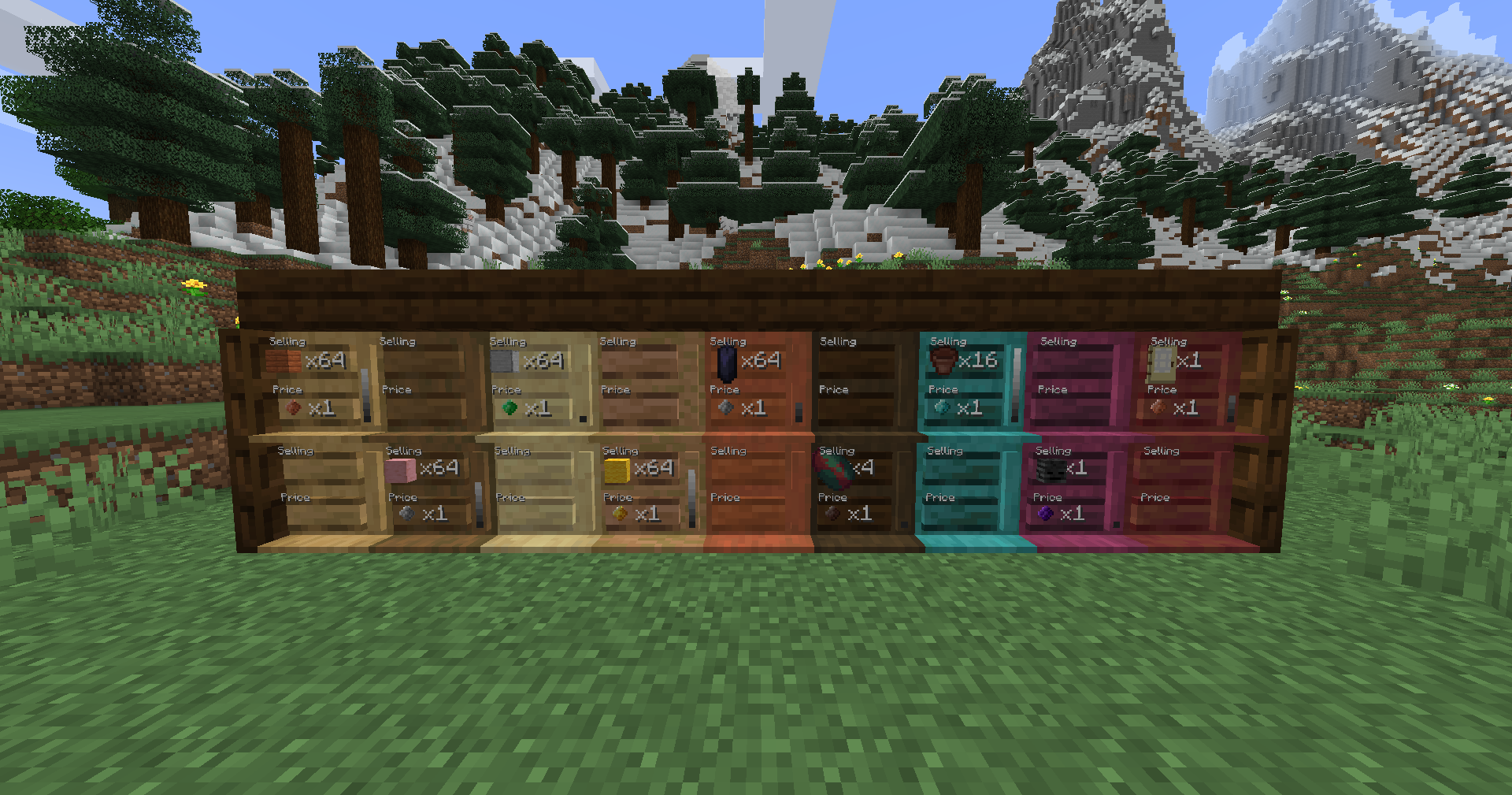
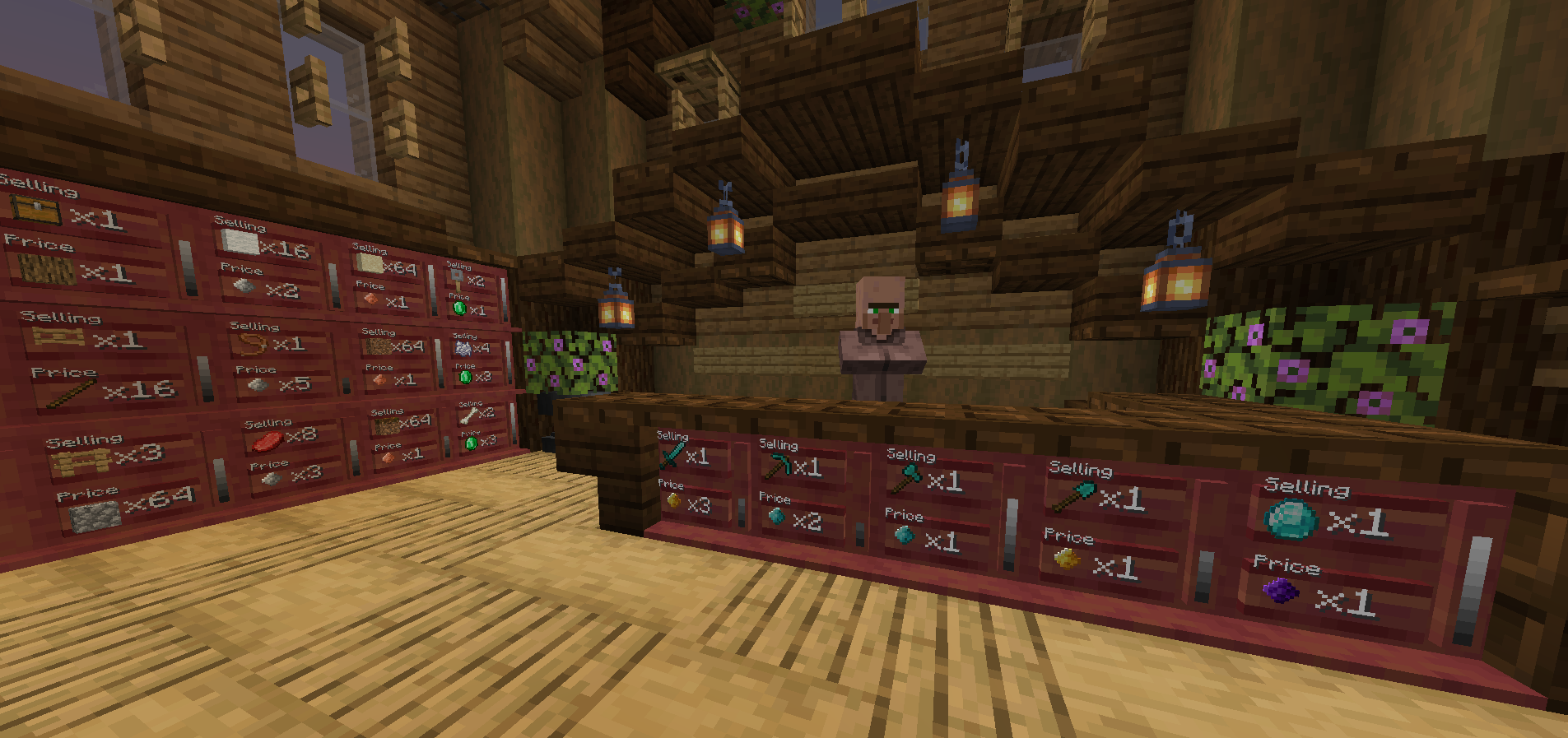
Filled shops of all different wood tones, showcasing the usability of items, Thyms, and the stock bars.
| Renewable: | Yes |
|
Stackable: |
Yes (64) |
| Tool: | Hand |
| Blast Resistance: | N/A |
| Hardness: | N/A |
| Luminant: | No |
| Transparent: | No |
| Flammable: | No |
| Flammable (Lava): | No |
Obtaining
Crafting
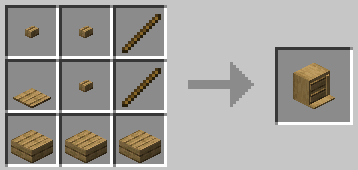
Markets (Shops) comes in all vanilla Minecraft wood tones (including oak, spruce, dark oak, birch, jungle, acacia, warped, crimson, mangrove, and cherry).
Usage
Hand Triggered
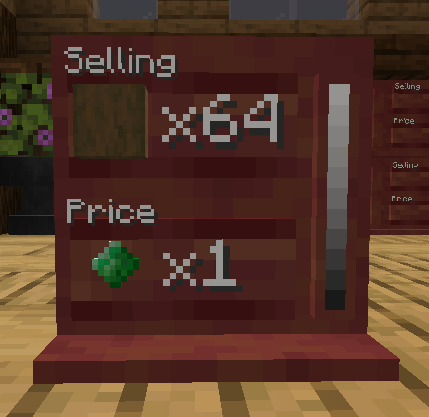
As a buyer ...
[-] BUY - With payment in hand, right click the Market (Shop).
[-] BUY IN BULK (x4) - With payment in hand, shift to view and shift right click to buy.
As an owner/trustee ...
[-] SET SELLING - With item and correct amount in hand, right click the Selling Board (highlights separately).
[-] SET PRICE - With item and correct amount in hand, right click the Price Board (highlights separately).
[-] RE/STOCK - With Selling item in hand, right click the Market (Shop). Repeat till fully stocked.
[-] REMOVE STOCK - With empty hand, shift right click the Selling Board.
[-] REMOVE SELLING - With empty hand, shift right click the Selling Board AGAIN (after removing stock) to clear.
[-] REMOVE PRICE - With empty hand, right click the Price Board (removes current).
[-] WITHDRAW - Open wallet/wristlet and click the Withdraw button OR right click the Market (Shop) with the Clipboard to open the Inventory GUI and click on the withdraw button.
[-] BREAK - Only the owner or an Admin can destroy a Market (Shop). Upon breaking, it will drop its stock.
Clipboard (GUI) Functionality
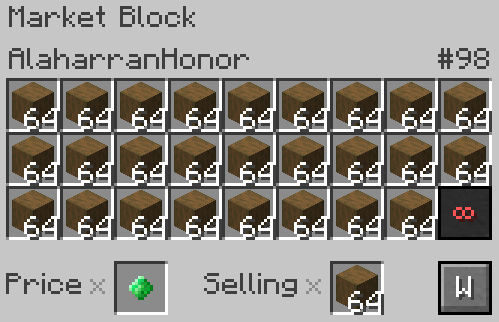
[-] Owner name is listed in the top left corner.
[-] Market (Shop) ID # is listed in the top right corner.
[-] All Inventory slots are for Market (Shop) stock.
[-] (With Admin Access) Infinity button permits infinite stock to sell. (It will use up all legit stock first, then become infinite).
[-] Price and Selling are shown in their respective slots. They can not be edited in this screen.
[-] Withdraw button withdraws all income (Thyms, items, and blocks) gained through sales.
Any item or block (vanilla or modded) can be used in either Selling or Price, permitting stack size and not blacklisted.
Additional Information
[-] A Market (Shop) will not clear its Selling or Price upon selling out all its stock. It will remain until changed/cleared.
[-] A Market (Shop) can ONLY be mined by the owner, trustee, or Admin.
[-] A Market (Shop) can ONLY change what its selling if both its stock and withdraw are empty. Withdraw to empty the income!
[-] Withdraw is ONLY deposited into one's open inventory slots. Please clear your inventory and withdraw again.
[-] Commands assist in other needs one might have with their shops. Please see the Commands page.
Known Issues
If you find an issue, please report it to our bugs channel on Discord. We ask that you look to see if your issue was reported first!
Changelog
View Changes
This is not a complete list of version changes / fixes. It is a changelog of relevant wiki-related version information.
| MC Version | Release | Notes |
| 1.18.2 | ||
| 1.16.5 |