
Multiblock Doors
Introduction
Multiblock doors support up to 9 x 9 doors, with sliding or swing variations.
Crafting
This feature require a hinge item (tool) to create multiblock doors.
Check out Brooke's video guide on here to see the process in audio-visual format.
Step 1: Build A Door "Template"
- Can be up to 9 x 9 blocks in size, and 1 block in depth.
- Can use any full blocks, including transparent blocks like glass or screens.
- Cannot use partial blocks (ladders, panes, bars or trapdoors) unless they have a full block variant.
- Cannot have any "cutouts" (missing blocks) - they must be square or rectangular.
Step 2: Select
Right Click one corner with a hinge in hand, then Right Click the opposite corner.
- This make a white visual outline of the selection.
- If the selection is a valid size and shape, it will open a GUI (menu).
Step 3: Customize
Left Click "Slide" to toggle hinge options.
Slideopens by moving to the side (closed, half open, fully open).Swingopens by moving 90 degrees (closed, open out, fully open/folded back).
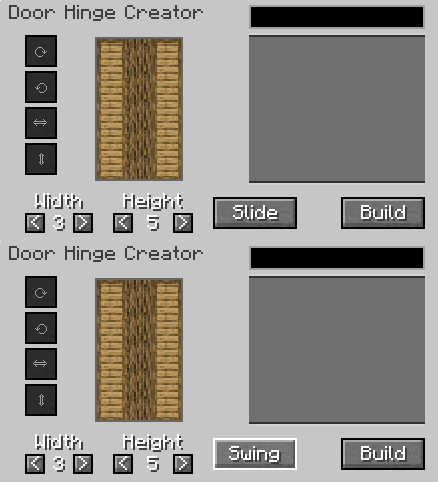
Left Click blocks in the preview window to modify them.
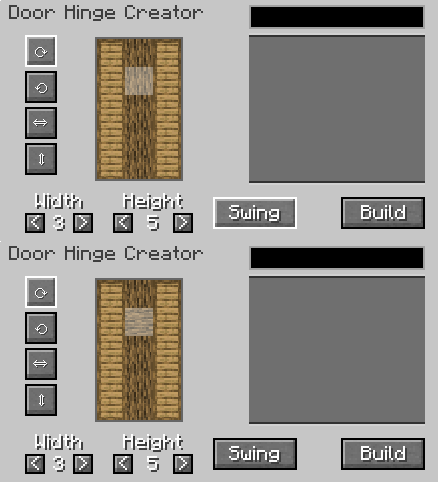
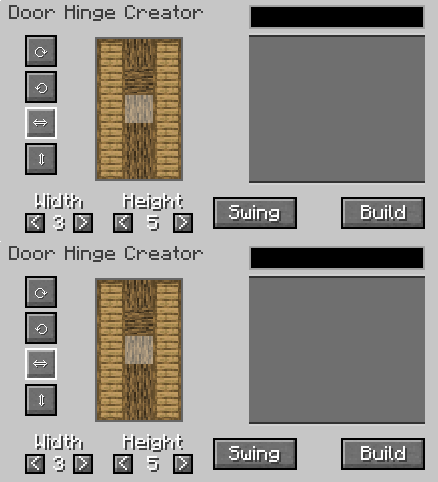
- Use the circular arrow icons to rotate the
x yaxis texture (ie for logs). - Use the straight arrow icons to flip the texture vertical or horizontal.
Step 4: Build
Left Click "Build" to create the door and close the GUI.
- Places a single door item in the player's inventory.
- Creating a door does not consume the template blocks.
Placing Doors
Doors show a transparent overlay when held to help guide placement. Right Click to place the door.
Stand on the side you want the hinge to be:
- If you want the door to slide or open to the right, stand on the right.
- If you want the door to slide or open to the left, stand on the left.
Using Doors
Doors open in a set sequence - open, half open closed. Use Shift to reverse the sequence (ie open, closed, half open).
Right Click a door to cycle to the next sequence.
SWING / SLIDE DOORS COMPARISON
DOOR TOOLTIP INFO
Durability
Hinges lose 9 durability per door and are depleted after 27 uses.
Known Issues
You can report any mod issues to our bugs forum on Discord - please check for duplicate reports first!
Changelog
View Changes
This is not a complete list of changes or features. It is a log of wiki-related version information and may be outdated.
| MC Version | Release | Notes |