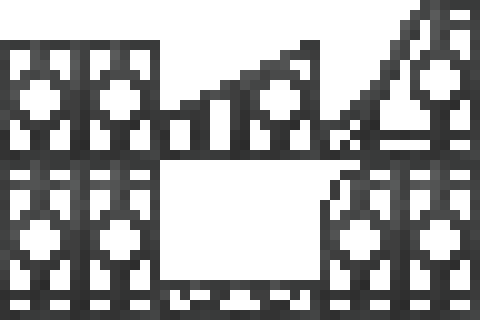
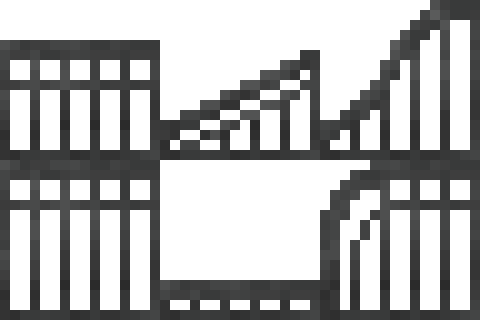
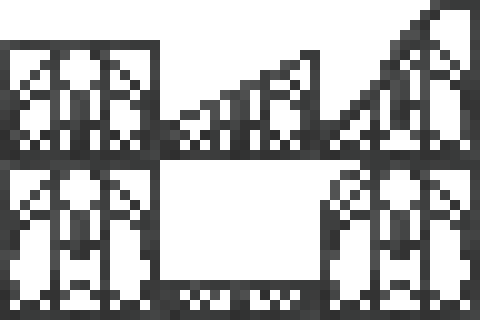
# Multiblock Doors

<p class="callout success">Information targets the latest **supported** release. For legacy (older) versions and bug fixes, read the changelogs.</p>

#### **Introduction**

Multiblock doors support up to 9 x 9 doors (or "windows") with sliding or swing variations.

---

#### **Crafting**

This feature require a hinge item (tool) to create multiblock doors.

<table border="1" id="bkmrk-western-bridle%C2%A0%C2%A0-bri" style="border-collapse: collapse; width: 100%; border-width: 1px; border-style: none;"><colgroup><col style="width: 50%;"></col><col style="width: 50%;"></col></colgroup><tbody><tr><td style="border-style: hidden;">![Hinge Crafting.jpg](https://wiki.swequestrian.com/uploads/images/gallery/2026-04/scaled-1680-/hinge-crafting.jpg)

</td><td style="border-style: hidden;">##### Hinge

Iron Ingot `(4)`

Stick `(1)`

[Dried Kelp](https://www.bing.com/ck/a?!&amp;&amp;p=0b4302e79f85a4403cbe366ef3cf372b4112e1f59e932e5b3405706ec7022603JmltdHM9MTc3NjU1NjgwMA&amp;ptn=3&amp;ver=2&amp;hsh=4&amp;fclid=14c60d53-c684-679f-17b8-1f38c284610d&amp;psq=dried+kelp+minecraft&amp;u=a1aHR0cHM6Ly9taW5lY3JhZnQuZmFuZG9tLmNvbS93aWtpL0RyaWVkX0tlbHA) `(1)`

</td></tr></tbody></table>

---


<p class="callout info">Check out Brooke's video guide on [here](https://youtu.be/8tGIMFoOuyA?si=kF4D8rmo-rRq4SNS) to see the process in audio-visual format.</p>

#### **Step 1: Build A "Template"**

This can be your final design, or placeholder blocks for custom textures in Step 3.

- Can be up to 9 x 9 blocks in size, and 1 block in depth.
- Can use any **full blocks**, including transparent blocks like glass or screens.
- Cannot use partial blocks (ladders, panes, bars or trapdoors) - **See Step 3!**
- Cannot have any "cutouts" (missing blocks) - doors must be square or rectangular.

---

#### **Step 2: Select**

`Right Click` one corner with a hinge in hand, then `Right Click` the **opposite** corner. This outlines the selection in white.

---

#### **Step 3: Customize**  


If the selection is a valid size and shape, it will open a GUI (menu).

##### Set Open Method

`Left Click` "**Slide**" to toggle options.

- `Slide` opens by moving to the side (closed, half open, fully open).
- `Swing` opens by moving 90 degrees (closed, open out, fully open/folded back).
- `Static` does not open.
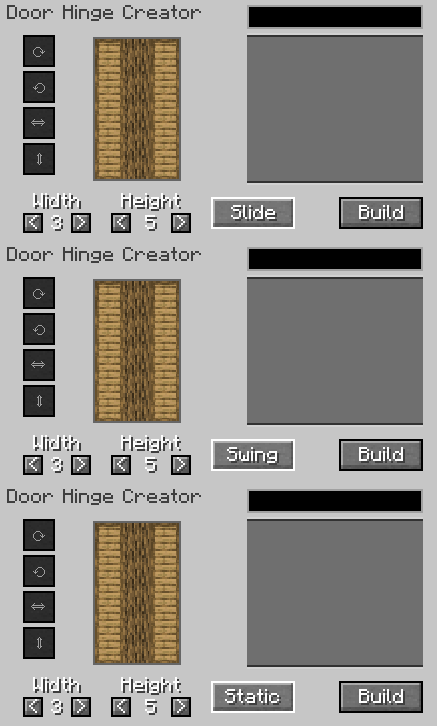
![Slide-Swing-Static.gif](https://wiki.swequestrian.com/uploads/images/gallery/2026-04/slide-swing-static.gif)

##### Block Rotations

`Left Click` blocks in the preview window to modify them.

- Use the circular arrow icons to rotate the `x y` axis texture (ie for logs).
- Use the straight arrow icons to flip the texture vertical or horizontal.

<table border="1" id="bkmrk-block-axis-rotation-" style="border-collapse: collapse; width: 100%;"><colgroup><col style="width: 50%;"></col><col style="width: 50%;"></col></colgroup><tbody><tr><td style="border-style: hidden;">![BlockRotate.gif](https://wiki.swequestrian.com/uploads/images/gallery/2026-04/blockrotate.gif)

</td><td style="border-style: hidden;">![BlockRotateHorizontal.gif](https://wiki.swequestrian.com/uploads/images/gallery/2026-04/E6Pblockrotatehorizontal.gif)</td></tr><tr><td style="border-style: hidden;">Block Axis Rotation

</td><td class="align-center" style="border-style: hidden;">Horizontal or Vertical Block Rotation</td></tr></tbody></table>

##### Custom Textures

- Type in the search bar to look up available textures, even partial blocks like ladders.
- Use `<` and `>` to adjust `Width` and `Height` to adjust sizing if required.
- Supports textures added by mods, **even if they are not "registered" blocks.**

![DoorsCustomTxt.gif](https://wiki.swequestrian.com/uploads/images/gallery/2026-04/doorscustomtxt.gif)

<details id="bkmrk-more-information%3A-sw"><summary>More Information: Equestrian Doors (SWEM)</summary>

Star Worm Equestrian Mod includes 150 custom bar textures specifically for multiblock doors.

- Flower
- Friendly
- Horizontal
- Medieval
- Vertical

<p class="callout danger">The custom bars are **NOT** items or blocks in the game. The textures are stored in `assets > swem > textures > block`</p>

<p class="callout info">**Tip:** You can use *any* textures from the mod, including stall door panels to make your own custom sized stall door designs!</p>

<table border="1" style="border-collapse: collapse; width: 100%; height: 1358.15px;"><colgroup><col style="width: 11%;"></col><col style="width: 25.7108%;"></col><col style="width: 32.7565%;"></col><col style="width: 10.3832%;"></col><col style="width: 10.3832%;"></col><col style="width: 10.3832%;"></col></colgroup><tbody><tr style="height: 29.7969px;"><td class="align-center" style="height: 29.7969px; background-color: rgb(132, 63, 161);"><span style="color: rgb(255, 255, 255);">**Type**</span></td><td class="align-center" style="height: 29.7969px; background-color: rgb(132, 63, 161);"><span style="color: rgb(255, 255, 255);">**Example**</span></td><td class="align-center" style="height: 29.7969px; background-color: rgb(132, 63, 161);"><span style="color: rgb(255, 255, 255);">**Variants**</span></td><td class="align-center" colspan="3" style="height: 29.7969px; background-color: rgb(132, 63, 161);"><span style="color: rgb(255, 255, 255);">**Colors**</span></td></tr><tr style="height: 262.312px;"><td class="align-center" style="height: 262.312px;">**Flower**</td><td style="height: 262.312px;">![FlowerBarsMed.gif](https://wiki.swequestrian.com/uploads/images/gallery/2026-04/gdgflowerbarsmed.gif)

</td><td style="height: 262.312px;"><p class="callout info">**Search:** `bars_flower`</p>

- bars\_flower\_3-4th
- bars\_flower\_connect\_left
- bars\_flower\_connect\_right
- bars\_flower\_door\_left
- bars\_flower\_door\_right
- bars\_flower\_full
- bars\_flower\_half
- bars\_flower\_quarter
- bars\_flower\_rounded\_left
- bars\_flower\_rounded\_right

</td><td style="height: 262.312px;">`_light`</td><td style="height: 262.312px;">`_medium`</td><td style="height: 262.312px;">`_dark`</td></tr><tr style="height: 262.312px;"><td class="align-center" style="height: 262.312px;">**Friendly**</td><td style="height: 262.312px;">![BarsFriendlyMed.gif](https://wiki.swequestrian.com/uploads/images/gallery/2026-04/barsfriendlymed.gif)

</td><td style="height: 262.312px;"><p class="callout info">**Search:** `bars_friendly`</p>

- bars\_friendly\_3-4th
- bars\_friendly\_connect\_left
- bars\_friendly\_connect\_right
- bars\_friendly\_door\_left
- bars\_friendly\_door\_right
- bars\_friendly\_full
- bars\_friendly\_half
- bars\_friendly\_quarter
- bars\_friendly\_rounded\_left
- bars\_friendly\_rounded\_right

</td><td style="height: 262.312px;">`_light`</td><td style="height: 262.312px;">`_medium`</td><td style="height: 262.312px;">`_dark`</td></tr><tr style="height: 262.312px;"><td class="align-center" style="height: 262.312px;">**Horizontal**</td><td style="height: 262.312px;">![BarsHorizontalMed.gif](https://wiki.swequestrian.com/uploads/images/gallery/2026-04/barshorizontalmed.gif)

</td><td style="height: 262.312px;"><p class="callout info">**Search:** `bars_hori`</p>

- bars\_hori\_3-4th
- bars\_hori\_connect\_left
- bars\_hori\_connect\_right
- bars\_hori\_door\_left
- bars\_hori\_door\_right
- bars\_hori\_full
- bars\_hori\_half
- bars\_hori\_quarter
- bars\_hori\_rounded\_left
- bars\_hori\_rounded\_right

</td><td style="height: 262.312px;">`_light`</td><td style="height: 262.312px;">`_medium`</td><td style="height: 262.312px;">`_dark`</td></tr><tr style="height: 279.109px;"><td class="align-center" style="height: 279.109px;">**Vertical**</td><td style="height: 279.109px;">![BarsVerticalMed.gif](https://wiki.swequestrian.com/uploads/images/gallery/2026-04/barsverticalmed.gif)

</td><td style="height: 279.109px;"><p class="callout info">**Search:** `bars_verti`</p>

- bars\_vert\_rounded\_right
- bars\_vert\_3-4th
- bars\_vert\_connect\_left
- bars\_vert\_connect\_right
- bars\_vert\_door\_left
- bars\_vert\_door\_right
- bars\_vert\_full
- bars\_vert\_half
- bars\_vert\_quarter
- bars\_vert\_rounded\_left
- bars\_vert\_rounded\_right

</td><td style="height: 279.109px;">`_light`</td><td style="height: 279.109px;">`_medium`</td><td style="height: 279.109px;">`_dark`</td></tr><tr style="height: 262.312px;"><td class="align-center" style="height: 262.312px;">**Medieval**</td><td style="height: 262.312px;">![BarsMedievalMed.gif](https://wiki.swequestrian.com/uploads/images/gallery/2026-04/barsmedievalmed.gif)

</td><td style="height: 262.312px;"><p class="callout info">**Search:** `bars_flower`</p>

- bars\_medieval\_3-4th
- bars\_medieval\_connect\_left
- bars\_medieval\_connect\_right
- bars\_medieval\_door\_left
- bars\_medieval\_door\_right
- bars\_medieval\_full
- bars\_medieval\_half
- bars\_medieval\_quarter
- bars\_medieval\_rounded\_left
- bars\_medieval\_rounded\_right

</td><td style="height: 262.312px;">`_light`</td><td style="height: 262.312px;">`_medium`</td><td style="height: 262.312px;">`_dark`</td></tr></tbody></table>

</details>---

#### **Step 4: Build**

`Left Click` "**Build**" to create the door and close the GUI.

- Places a single door item in the player's inventory.
- Creating a door does not consume the template blocks.

<table border="1" id="bkmrk-slide-swing-static-%C2%A0" style="border-collapse: collapse; width: 100%;"><colgroup><col style="width: 20%;"></col><col style="width: 20%;"></col><col style="width: 20%;"></col><col style="width: 20%;"></col><col style="width: 20%;"></col></colgroup><tbody><tr><td style="border-style: hidden;"></td><td style="border-style: hidden;">![SlideDoorIcon.png](https://wiki.swequestrian.com/uploads/images/gallery/2026-04/scaled-1680-/slidedooricon.png)

</td><td style="border-style: hidden;">![SwingDoorIcon.png](https://wiki.swequestrian.com/uploads/images/gallery/2026-04/scaled-1680-/swingdooricon.png)

</td><td style="border-style: hidden;">![StaticDoorIcon.png](https://wiki.swequestrian.com/uploads/images/gallery/2026-04/scaled-1680-/staticdooricon.png)

</td><td style="border-style: hidden;"></td></tr><tr><td style="border-style: hidden;">  
</td><td class="align-center" style="border-style: hidden;">`Slide`</td><td class="align-center" style="border-style: hidden;">`Swing`</td><td class="align-center" style="border-style: hidden;">`Static`</td><td style="border-style: hidden;">  
</td></tr><tr><td style="border-style: hidden;"> </td><td colspan="3" style="border-style: hidden;"><p class="callout info align-center">Hover over any door item to view a tooltip with an image.</p>

</td><td style="border-style: hidden;"> </td></tr></tbody></table>

---

#### **Placing Doors**  


Doors show a transparent overlay when held to help guide placement. `Right Click` to place the door.

Stand on the side you want the **hinge** to be:

- If you want the door to slide or open to the right, **stand on the right.**
- If you want the door to slide or open to the left, **stand on the left.**

---

#### **Using Doors**

`Right Click` a door to cycle to the next sequence, or use `Shift` to reverse the sequence.

<table border="1" id="bkmrk-sequence-1-2-3-slide" style="border-collapse: collapse; width: 100%; height: 119.188px;"><colgroup><col style="width: 25%;"></col><col style="width: 25%;"></col><col style="width: 25%;"></col><col style="width: 25%;"></col></colgroup><tbody><tr style="height: 29.7969px;"><td class="align-center" style="height: 29.7969px; background-color: rgb(52, 5, 93);"><span style="color: rgb(255, 255, 255);">**Sequence**</span></td><td class="align-center" style="height: 29.7969px; background-color: rgb(52, 5, 93);"><span style="color: rgb(255, 255, 255);">**1**</span></td><td class="align-center" style="height: 29.7969px; background-color: rgb(52, 5, 93);"><span style="color: rgb(255, 255, 255);">**2**</span></td><td class="align-center" style="height: 29.7969px; background-color: rgb(52, 5, 93);"><span style="color: rgb(255, 255, 255);">**3**</span></td></tr><tr style="height: 29.7969px;"><td class="align-center" style="height: 29.7969px;">**Slide**

</td><td class="align-center" style="height: 29.7969px;">Closed</td><td class="align-center" style="height: 29.7969px;">Half Open `50%`</td><td class="align-center" style="height: 29.7969px;">Fully Open `100%`</td></tr><tr style="height: 29.7969px;"><td class="align-center" style="height: 29.7969px;">**Swing**

</td><td class="align-center" style="height: 29.7969px;">Closed</td><td class="align-center" style="height: 29.7969px;">Open Out `90°`</td><td class="align-center" style="height: 29.7969px;">Fold Back `180°`</td></tr><tr style="height: 29.7969px;"><td class="align-center" style="height: 29.7969px;">**Static**

</td><td class="align-center" style="height: 29.7969px;">Closed</td><td class="align-center" style="height: 29.7969px;">Closed</td><td class="align-center" style="height: 29.7969px;">Closed</td></tr></tbody></table>

---


#### **Duplicating Doors**

<p class="callout info">Useful if you removed the original template, used custom textures or need multiple copies of the same door.</p>

`Shift` + `Right Click` a **placed** door with a hinge. Modify the door if desired, then use `Build` to duplicate (copy) it.

---

#### **Hinge Durability**  


Hinges lose 9 durability per door and are depleted after 27 uses.

---

#### **Additional**

<details id="bkmrk-more-information-ide"><summary>More Information: Uses, Pathing, Redstone, NPCs</summary>

##### Uses (Ideas)

Multiblock doors have many potential uses.

- Stall barriers, doors and gates for horses.
- Pen or paddock barriers and gates for animals.
- Tall or wide entrance gates for secure property.
- Large sliding or swing doors for barns or warehouses etc.
- Custom entry or internal doors for builds and houses.
- Functional swing or sliding windows.

##### Pathing

Entities treat doors as an impassible obstacle when it obstructs their path.

##### Redstone **<span style="background-color: rgb(224, 62, 45); color: rgb(255, 255, 255);"> TBC </span>**

Doors are not redstone sensitive, and cannot be opened or automated by redstone.

##### NPCs **<span style="background-color: rgb(224, 62, 45); color: rgb(255, 255, 255);"> TBC </span>**

Doors cannot be used autonomously by villagers or other non-player characters (NPCs).

</details>---

#### **Known Issues**

You can report any mod issues to our bugs forum on **[Discord](https://discord.com/channels/715626418893095012/1123695058496000240)** - please check for duplicate reports first!

<p class="callout danger">It is not recommended to include multiblock elements in World Edit actions or schematics. If you do, save and backup!</p>

---

#### **Changelog**

<details id="bkmrk-view-changes-this-is"><summary>View Changes</summary>

<p class="callout info">This is not a complete list of changes or features. It is a log of wiki-related version information and may be outdated.</p>

<table border="1" style="border-collapse: collapse; width: 100%;"><colgroup><col style="width: 11.7429%;"></col><col style="width: 10.8801%;"></col><col style="width: 77.377%;"></col></colgroup><tbody><tr><td class="align-center" style="background-color: rgb(52, 5, 93);"><span style="color: rgb(255, 255, 255);">**MC Version**</span></td><td class="align-center" style="background-color: rgb(52, 5, 93);"><span style="color: rgb(255, 255, 255);">**Release**</span></td><td class="align-center" style="background-color: rgb(52, 5, 93);"><span style="color: rgb(255, 255, 255);">**Notes**</span></td></tr><tr><td class="align-center">`1.21.1`</td><td class="align-center">`3.2.4`</td><td>**Feature:** Added Multiblock Doors.</td></tr></tbody></table>

</details>